Scan any document. Mask your Aadhaar. Nothing leaves your phone.
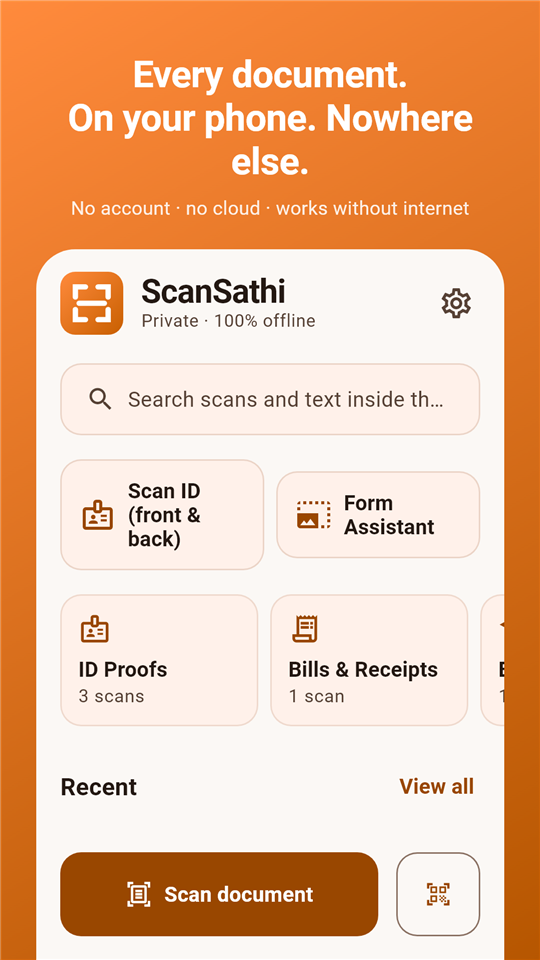
ScanSathi is a fast, light PDF scanner built for how documents are actually used in India - with automatic Aadhaar masking, fully offline Hindi OCR and no account, no cloud, no tracking.
Features
A document scanner that takes your privacy seriously
Everything a modern PDF scanner should do - plus the things every Indian household actually needs.
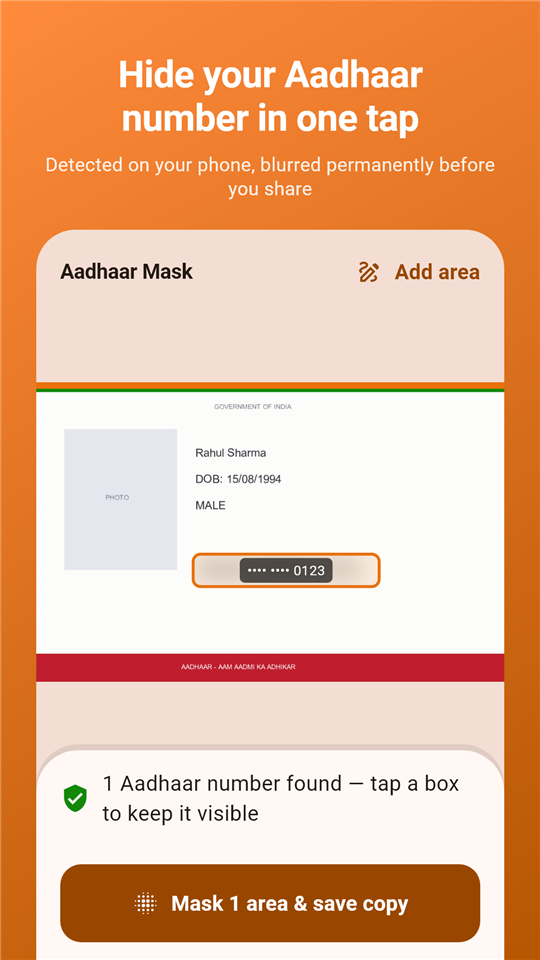
Aadhaar masking, one tap
The app finds the Aadhaar number on your scan and blurs it permanently before you share. Stop handing out unmasked photocopies - protect yourself from identity misuse.
Hindi OCR - fully offline
Extract editable text in Hindi, Marathi or English with no internet at all. Most scanners send your documents to a server for OCR; ScanSathi never does.
Private by design
No servers, no sign-in, no analytics. Scanning, PDFs, OCR and masking all run on the device. Add a fingerprint app lock for another layer.
Form Assistant
Compress a photo, signature or document to an exact KB target for SSC, UPSC, IBPS and other government forms - offline, in seconds.
QR & barcode scanner
Scan any QR code or barcode, including UPI payment codes - copy, share or open the result instantly.
1-tap scan widget
Place the home-screen widget and go from pocket to PDF in one tap. Scans are named, sorted and searchable automatically.
Voice notes on documents
Attach a spoken note to any scan - "policy renewed, keep this copy" - and play it back right inside the app.
Auto-sorted library
Scans file themselves into ID Proofs, Bills & Receipts, Education and more. Search by name - or by the text inside a document.
Backup you control
Export your entire library as one ZIP and restore it on any phone. Your backup lives where you decide - not on someone's cloud.
Never share an unmasked Aadhaar again
Landlords, HR, hotels, SIM vendors - everyone asks for an Aadhaar copy. ScanSathi detects the number on-device and blurs it permanently before the copy leaves your phone, exactly as UIDAI recommends.
- Automatic detection - no careful drawing needed
- The blur is baked into the shared copy, not a removable layer
- Hide any other detail by drawing over it
- Optional purpose stamp: "For rent agreement only"
Copy text out of any scan - in Hindi too
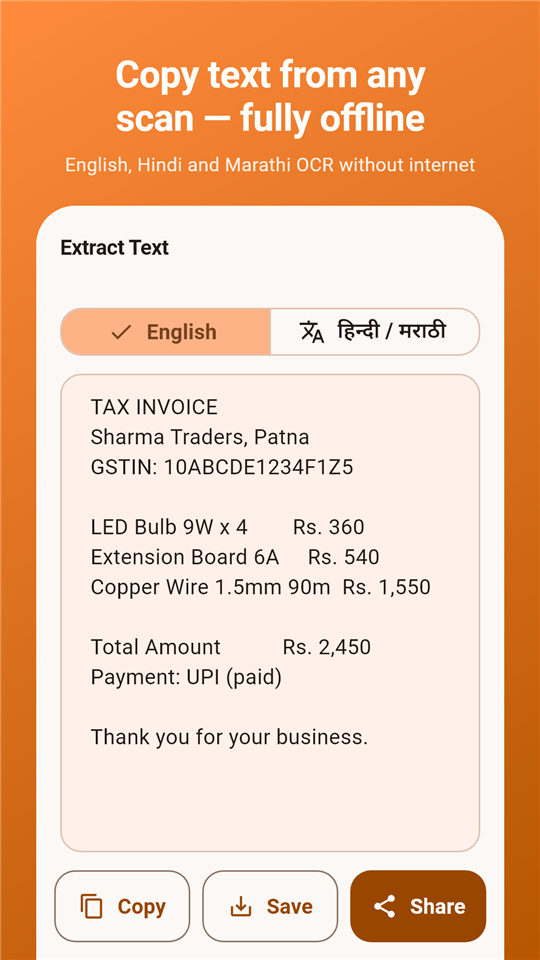
Turn a printed page into editable text in about two seconds, with no internet connection. English, Hindi and Marathi are built in, so bills, notices and forms in Devanagari are no longer stuck as images.
- Works in airplane mode - your text never leaves the device
- Copy, share, or save as a .txt beside the PDF
- Search your library by the words inside your scans
A library that files itself
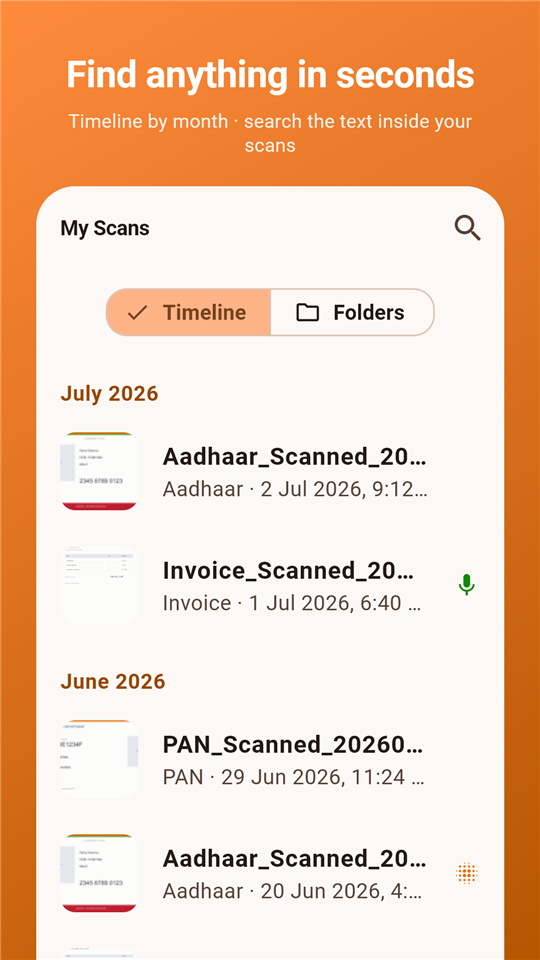
Every scan is named, categorised and dated automatically - PAN cards land in ID Proofs, invoices in Bills & Receipts, marksheets in Education. Find anything by name or by the text inside it.
- Multi-select to share, merge or delete in bulk
- Recycle bin keeps deleted documents for 30 days
- Fingerprint app lock keeps the library yours
How it works
Pocket to PDF in four steps
Point at the document
Edges are detected and cropped automatically - PAN card, bill, marksheet or a 20-page agreement.
Saved as PDF, instantly
The right preset is applied, the file is named and sorted into the right folder on its own.
Mask, extract or annotate
Blur the Aadhaar number, pull out the text offline, or attach a voice note for later.
Share safely
Send the masked copy over WhatsApp or email. The original stays private in your library.
Use cases
One scanner for every document in an Indian wallet
From PAN card KYC to exam-form photo resizing - the everyday document jobs ScanSathi was built for.
Scan PAN card for KYC
Scan your PAN card to a clean PDF for bank account opening, mutual fund KYC, demat account verification or SIM card activation. The ID card preset crops and enhances it automatically, ready to upload or share on WhatsApp.
Share a masked Aadhaar copy
Need to give an Aadhaar photocopy to a landlord, hotel, HR or courier? Scan it, let ScanSathi hide the Aadhaar number automatically, and share the masked Aadhaar copy - the safe way UIDAI recommends.
Voter ID, driving licence & more
Scan a voter ID card, driving licence, ration card or any government ID to PDF. Every scan lands in the ID Proofs folder automatically, searchable whenever an office asks for a copy.
Marksheets & certificates
Scan 10th and 12th marksheets, degree certificates, migration certificates and caste certificates for college admission forms, scholarship applications and job applications - stored safely in the Education folder.
Resize photos for exam forms
SSC, UPSC, IBPS and railway forms demand exact sizes: photo under 50 KB, signature under 20 KB. The Form Assistant compresses any photo or signature to the exact KB target, offline, without a sketchy website.
Bills, receipts & GST invoices
Scan electricity bills, GST invoices and shop receipts for office reimbursement, warranty claims or income tax records. Auto-sorted into Bills & Receipts and searchable by the text inside them.
Photos to a single PDF
Turn photos into a PDF - a multi-page agreement, class notes or a book chapter becomes one shareable file. A complete image to PDF converter that works with no internet at all.
Hindi documents to text
Copy text from a photo in Hindi or Marathi with fully offline OCR - notices, forms, letters and newspaper cuttings become editable text you can paste anywhere. No server ever sees the document.
UPI QR & barcodes
Scan any UPI QR code, payment QR or product barcode with the built-in QR code scanner - copy the result, share it, or open it directly in your payment app.
Why ScanSathi
Cloud scanners work for their servers. ScanSathi works for you.
Most popular scanner apps process your documents on remote servers. Here is what that difference means.
| ScanSathi | Typical cloud scanner | |
|---|---|---|
| Documents stay on your phone | Yes - always | Uploaded for processing |
| Works with no internet | Yes - everything | Core features need a connection |
| Automatic Aadhaar masking | Yes - built in | Not offered |
| Hindi / Marathi OCR offline | Yes | Server-side, if at all |
| Account or sign-in required | Never | Usually required |
| Watermark on free scans | No forced watermark | Common on free tiers |
| Going fully ad-free | One small payment, forever | Monthly subscription |
ScanSathi Pro
One payment. Yours forever.
The free version already does everything. Pro removes ads completely - after which the app makes no network connections at all - removes the masking watermark, and unlocks every enhancement filter. No subscription, ever. Support independent Indian software.
FAQ
Questions, answered honestly
Does ScanSathi upload my documents anywhere?
No. Scanning, PDF creation, OCR and Aadhaar masking all run on your phone. There is no ScanSathi server, no account and no cloud upload - we could not see your documents even if we wanted to. The free version uses the internet only to show ads; Pro removes even that.
How does the Aadhaar masking work?
The app reads the scan on-device, finds the 12-digit Aadhaar number and blurs it permanently in the shared copy. The blur is baked into the pixels - it cannot be removed by the receiver. Your original stays untouched in your library, and you can hide any other detail by drawing over it.
Which languages does the OCR support?
Hindi, Marathi and English - all fully offline. Copy the text, share it, or save it as a .txt file stored alongside the PDF.
Is it really free? What does Pro add?
The free version has every scanning feature and shows a few non-intrusive ads. Pro is a small one-time payment (about the price of a chai and samosa) that removes all ads, removes the masking watermark and unlocks all filters - forever. No subscription.
Will it run on my budget phone?
Yes. ScanSathi targets 2 GB RAM devices: a Lite mode kicks in automatically on low memory, and all heavy image work runs in the background so the app stays smooth.
If there is no cloud, how do I back up?
Settings → Backup exports your entire library - documents, voice notes and metadata - as a single ZIP file you can keep on an SD card, computer or any drive you trust. Restore it on a new phone and everything comes back. Because there is no cloud copy, export a backup regularly.
Can I resize a photo or signature to 20 KB for exam forms?
Yes - that is exactly what the Form Assistant does. Pick a preset (photo under 50 KB, signature under 20 KB, document under 100 KB) or type any custom KB target, and ScanSathi compresses the image to that exact size offline. No uploading your photo and signature to a random resizing website.
Is ScanSathi an Indian alternative to cloud scanner apps like CamScanner?
Yes. ScanSathi is a Made in India document scanner built by an independent Indian developer as a privacy-first alternative to cloud-based scanner apps. The big difference: cloud scanners upload your documents to their servers for processing - ScanSathi processes everything on your phone and has no servers at all. You also get Aadhaar masking and offline Hindi OCR, which cloud scanners do not offer.
Your documents. Your phone. Nowhere else.
Join the people who scan, mask and share their documents without handing them to a cloud they have never met.